> For the complete documentation index, see [llms.txt](https://docs.cybus.io/llms.txt). Markdown versions of documentation pages are available by appending `.md` to page URLs; this page is available as [Markdown](https://docs.cybus.io/1-11-0/documentation/services/deviations.md).
# Deviations
Identifying and resolving service resources that fail to reach their target states.
## What is a Deviation?
A **deviation** occurs when a service resource fails to reach its target state after the service is enabled. When you [enable a service](/1-11-0/documentation/services/setting-up-and-configuring-services/enabling-services.md), its resources should transition from disabled to enabled (or to another specified target state defined in the service commissioning file). The service commissioning file contains detailed specifications of all resources and their required states for proper service functionality.
However, various issues (such as hardware failures, network problems, or configuration errors) can prevent resources from achieving their intended states. When this happens, the affected service is marked as **deviated**.
## Identifying Deviated Services
Cybus Connectware provides multiple ways to identify and investigate deviations:
### Deviation Notifications
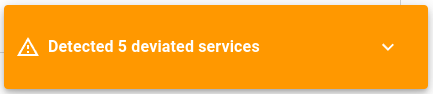
When a deviation occurs, a pop-up notification appears in the Admin UI. This notification provides an immediate alert that one or more services are not functioning as expected.
Deviation notification
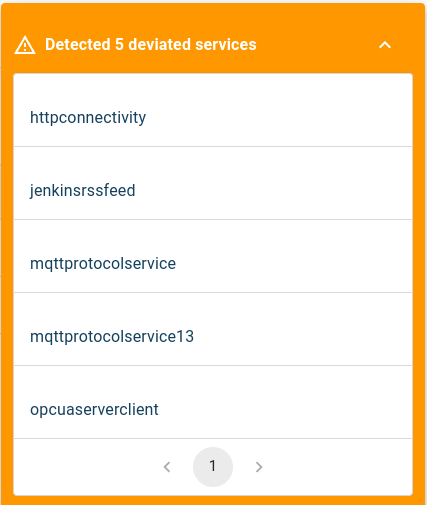
* To view all deviated services, click the down arrow in the notification panel. This expands the list to show all services currently experiencing deviations.
### Deviation Indicators
Deviation status is also displayed in multiple locations throughout the Admin UI:
* In the [Service Overview](/1-11-0/documentation/services/service-overview.md)
* Within the [Service Details view](/1-11-0/documentation/services/service-details-view.md) for individual services
* In [resource](/1-11-0/documentation/services/service-resources-view.md) lists for affected services
### List of Deviations
When you click on a deviation warning message, the system displays a detailed list of resources whose actual states differ from their expected states:
Deviated resources showing state discrepancies
## Examining Deviated Resources
For a comprehensive analysis of which specific resources are causing the deviation:
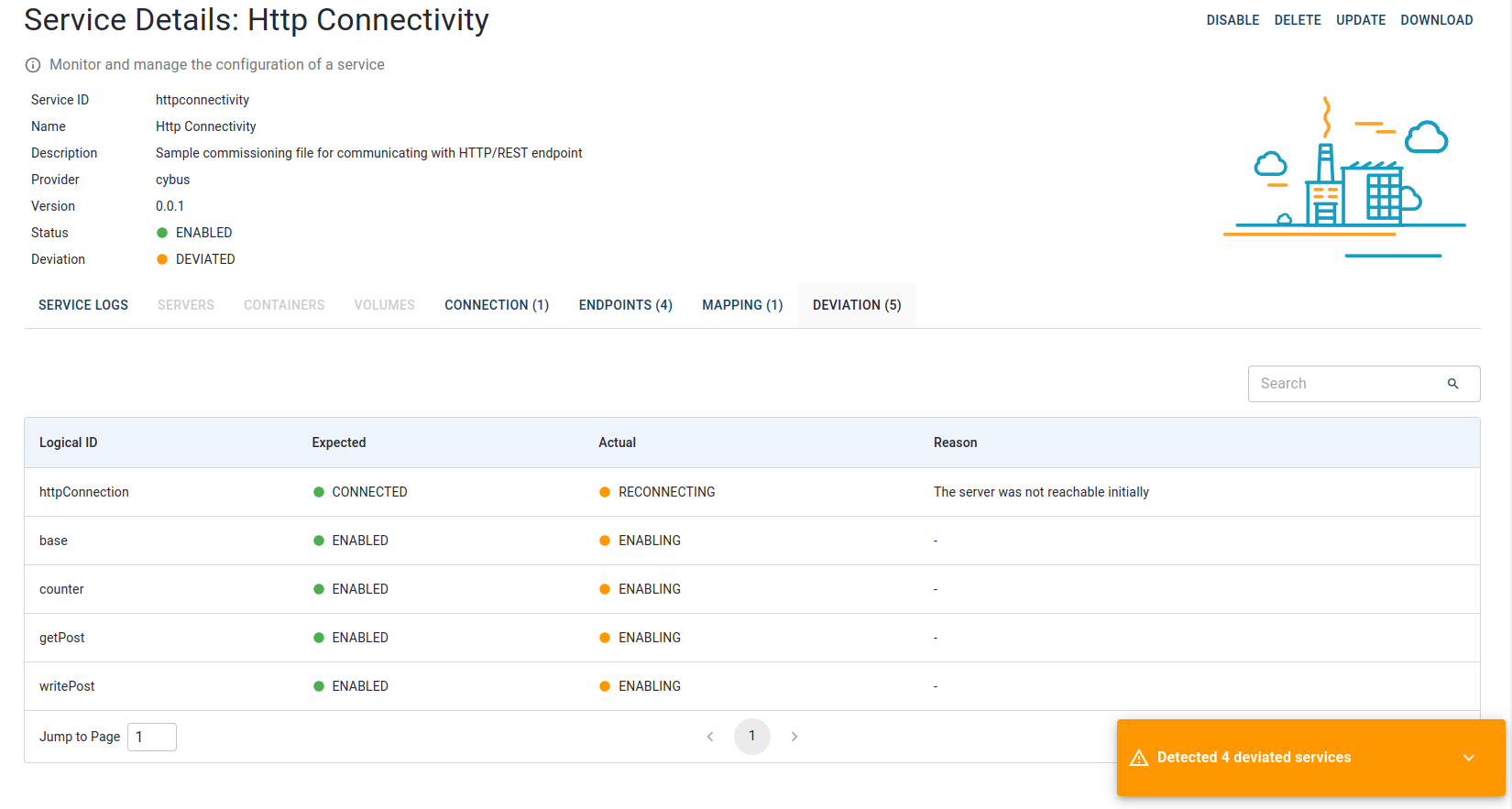
1. Click on the deviated service name in the services list
2. Navigate to the **Deviations** tab for that service
3. Review the detailed comparison between expected and actual states for each resource
Deviations tab displaying expected vs. actual status for each deviated resource
## Resolving Deviations
When addressing deviations, focus on:
1. Identifying the root cause (hardware, network, configuration)
2. Resolving the underlying issue
3. Re-enabling the service to verify the resolution. See [Enabling Services](/1-11-0/documentation/services/setting-up-and-configuring-services/enabling-services.md).
{% hint style="info" %}
Persistent deviations may require additional troubleshooting or consultation with your system administrator.
{% endhint %}
---
# Agent Instructions
This documentation is published with GitBook. GitBook is the documentation platform designed so that both humans and AI agents can read, navigate, and reason over technical content effectively. Learn more at gitbook.com.
## Querying This Documentation
If you need additional information that is not directly available in this page, you can query the documentation by asking a question.
Perform an HTTP GET request on the following URL with the `ask` and `goal` query parameters:
```
GET https://docs.cybus.io/1-11-0/documentation/services/deviations.md?ask=&goal=
```
`ask` is the immediate question: it should be specific, self-contained, and written in natural language.
`goal` is what the user is ultimately trying to achieve, the reason they need the answer. Sharing it helps GitBook give you a better, more relevant answer. A goal is most helpful when it describes the outcome the user wants rather than restating the question. For example, with `ask=how do I create an API token`, a goal like `automate deployments from our CI pipeline` lets GitBook tailor the answer to that use case.
The response will contain a direct answer to the question and relevant excerpts and sources from the documentation.
Use this mechanism when the answer is not explicitly present in the current page, you need clarification or additional context, or you want to retrieve related documentation sections.