# Deleting Services
{% hint style="warning" %}
When a service is disabled, all running containers, active connections, endpoints, and mappings are stopped. Volumes are not affected and will automatically reattach when the service is re-enabled.
{% endhint %}
1. Before deleting a running service, you must disable it first. For details, see [Disabling Services](https://docs.cybus.io/2-0-6/documentation/services/setting-up-and-configuring-services/disabling-services).
2. On the navigation panel, click **Services**.
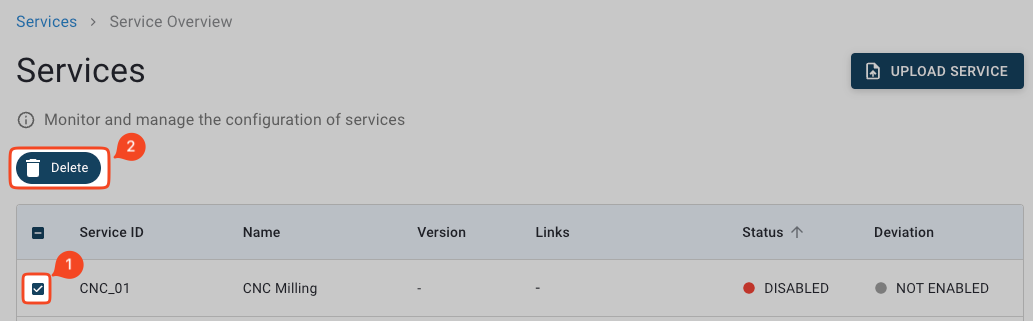
3. In the **Services** view, activate the checkboxes of the services that you want to delete.
4. Click **Delete**.
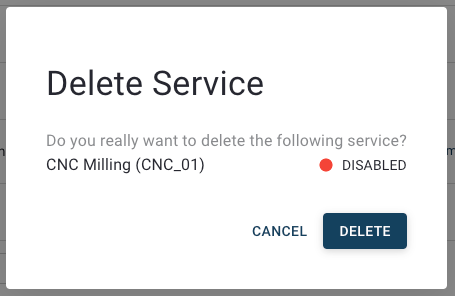
5. In the **Delete Service** dialog, click **Delete** to delete the service.
{% hint style="info" %}
After deleting a service, there is a waiting period required before you can install another service with the same service ID. You can customize the waiting period via the `CYBUS_SERVICE_REINSTALL_DELAY_SECONDS` [environment variable](https://docs.cybus.io/2-0-6/documentation/environment-variables).
{% endhint %}