Page cover

Node-RED Workbench

A built-in Node-RED environment for rapidly prototyping data flows and integration solutions.

The Connectware Workbench is a built-in Node-RED environment designed for rapid prototyping and testing. This feature provides an accessible, visual programming interface for developing connectivity workflows without extensive coding.

Prototyping vs. Production Environment

For production environments, create a service commissioning file that installs Node-RED as a dedicated Cybus:Container resource. This approach provides full control over versioning, lifecycle management, and isolation of your Node-RED instance.

Accessing the Node-RED Workbench

To access the Node-RED Workbench:

  1. On the navigation panel, click Services.

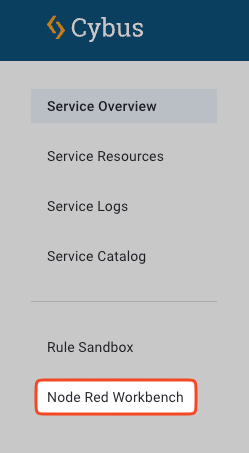
  2. In the sidebar, click Node Red Workbench.

Menu navigation to access the Node-RED Workbench
Accessing the Node-RED Workbench through the sidebar menu
  1. The Node-RED editor will open in a new browser tab.

Connecting Node-RED to the Connectware API

When creating flows that interact with the Connectware API:

Connection Parameters

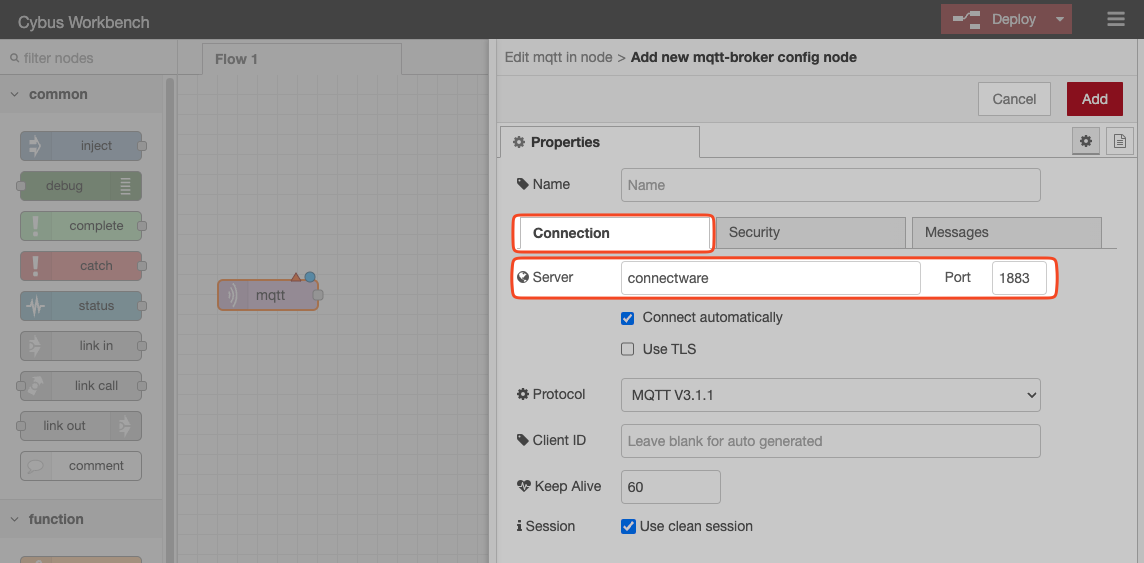
  • Use connectware as the server name for both:

    • MQTT connections (port 1883)

    • HTTPS connections (port 443)

Node-RED MQTT connection configuration
Configuring MQTT connection to Connectware using the server name "connectware"
Authentication

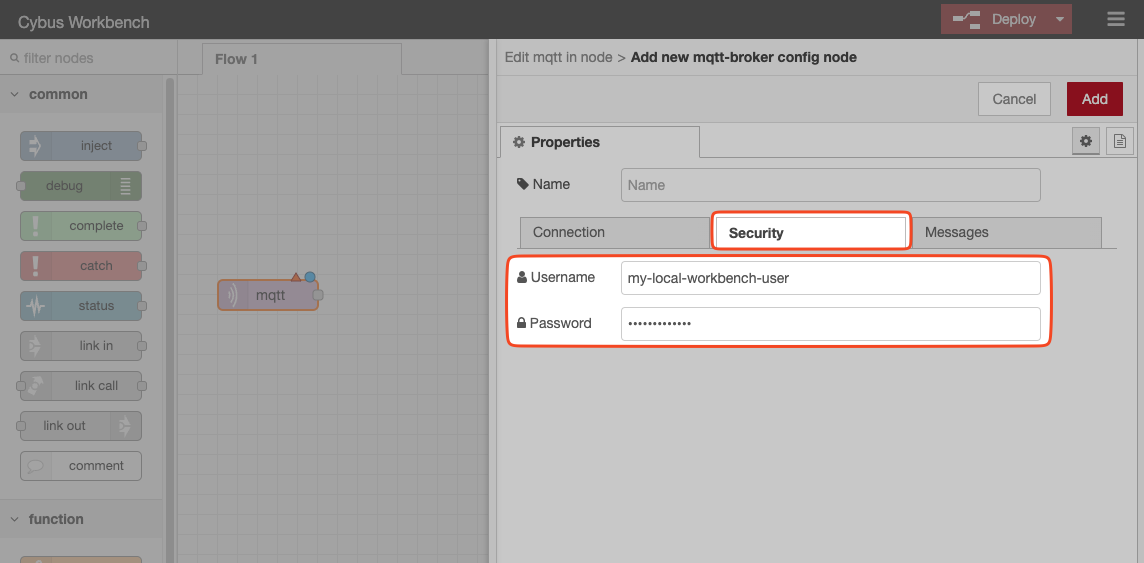
When subscribing to or publishing on the Connectware server:

  1. Configure the appropriate username and password in your Node-RED nodes.

  2. Ensure the user account has sufficient permissions or roles to access the required topics.

Node-RED authentication configuration
Setting up authentication credentials for Connectware access

For more information on managing user permissions, see User Management.

Working with Node-RED

For comprehensive guidance on using Node-RED, refer to the official Node-RED documentation.

Node-RED Projects

Node-RED Workbench supports Node-RED projects to integrate with Git repositories, allowing you to store and version your flows.

Projects allow you to:

  • Store flows in external Git repositories.

  • Implement version control for your flows.

  • Collaborate with team members on flow development.

  • Manage multiple flow projects within the same Workbench.

For detailed information about Node-RED projects, refer to the Node-RED Projects documentation.

Enabling Node-RED Projects (Docker)

By default, Node-RED projects in Connectware are disabled. To enable Node-RED projects:

  1. Open the .env file.

  2. Set the CYBUS_WORKBENCH_PROJECTS_ENABLED variable to true.

  1. Restart the Connectware instance for the changes to take effect. See Restarting Connectware.

Result: Once enabled, you will see additional project management options in your Node-RED interface.

Last updated

Was this helpful?