> For the complete documentation index, see [llms.txt](https://docs.cybus.io/llms.txt). Markdown versions of documentation pages are available by appending `.md` to page URLs; this page is available as [Markdown](https://docs.cybus.io/discover/how-connectware-works.md).

# How Connectware Works

This page walks through how a service commissioning file becomes live data flowing from industrial devices to your applications. It covers the core concepts — services, resources, endpoints, mappings, and the Unified Namespace — and shows how the data pipeline fits together end to end.

If you have not read [What Is Connectware?](/discover/what-is-connectware.md) yet, start there for a platform overview.

## Core Concepts

The following terms appear throughout this page:

| Term                           | Meaning                                                                                                                     |
| ------------------------------ | --------------------------------------------------------------------------------------------------------------------------- |
| **Service**                    | A packaged unit of connectivity that contains all resources needed to connect devices and route data.                       |
| **Resource**                   | A building block within a service, such as a connection, endpoint, mapping, or container.                                   |
| **Connection**                 | Defines how to reach a device: connector, address, credentials, and connector-specific settings.                            |
| **Endpoint**                   | A specific data point on a device — for example, a sensor tag, PLC register, or OPC UA node.                                |
| **Mapping**                    | Routes data from an endpoint to a Unified Namespace MQTT topic, optionally transforming it via the Rule Engine.             |
| **Unified Namespace (UNS)**    | Structured MQTT topic hierarchy that mirrors your production environment and serves as the single source of truth for data. |
| **CybusMQ**                    | Connectware's internal MQTT broker. All topic routing flows through it.                                                     |
| **Service commissioning file** | The YAML file that declares a service and all its resources — the configuration-as-code representation of your setup.       |

## Everything Starts with a Service Commissioning File

A **service commissioning file** is a YAML file that declares what to connect, what data to read, and how to route it to your applications. When you enable it as a service, Connectware creates every resource it describes. When you disable it, those resources are cleanly removed.

This is **configuration as code**. The file is the source of truth: store it in Git, review changes in pull requests, and deploy the same setup across factories.

### How Data Flows Through Connectware

The service commissioning file creates a data pipeline:

1. **Connection**: Establishes communication with a device using the specified connector.
2. **Endpoint**: Subscribes to or reads a specific data point on the device.
3. **Mapping**: Routes the data to a structured MQTT topic, applying any transformations.
4. **CybusMQ**: Connectware's internal MQTT broker.
5. **Applications**: Consumers (dashboards, MES, analytics, AI) subscribe to topics there.

This pipeline is entirely declarative: you describe what you want, and Connectware creates and manages all the underlying infrastructure.

### Example Service Commissioning File

The following example connects to an OPC UA server on a CNC milling machine and publishes its spindle speed to the Unified Namespace. The same pattern applies to any supported connector — only the connector-specific properties change (for example, Modbus register addresses instead of OPC UA node IDs).

{% code title="connect-your-first-machine.yaml" lineNumbers="true" expandable="true" %}

```yaml
description: >
  Connects to the OPC UA server on the CNC milling machine on line 1
  and publishes spindle speed via MQTT.

metadata:
  name: CNC Mill Line 1 - OPC UA
  version: 1.0.0
  provider: cybus
  homepage: https://www.cybus.io

parameters:
  opcuaHost:
    type: string
    description: OPC UA server address of the CNC mill
    default: 192.168.10.10

  opcuaPort:
    type: integer
    description: OPC UA server port
    default: 4840

resources:
  opcuaConnection:
    type: Cybus::Connection
    properties:
      protocol: Opcua
      connection:
        host: !ref opcuaHost
        port: !ref opcuaPort

  spindleSpeed:
    type: Cybus::Endpoint
    properties:
      protocol: Opcua
      connection: !ref opcuaConnection
      subscribe:
        nodeId: ns=2;s=SpindleSpeed

  spindleSpeedMapping:
    type: Cybus::Mapping
    properties:
      mappings:
        - subscribe:
            endpoint: !ref spindleSpeed
          publish:
            topic: !sub 'factory/line1/cnc-mill-1/spindle-speed'
```

{% endcode %}

### Tools for Writing Service Commissioning Files

Service commissioning files are typically created with tool support rather than written from scratch. The [Cybus Connectware VS Code Extension](/tools/cybus-connectware-extension-vs-code.md) provides schema validation and autocompletion as you edit. [Cybus Connectware GPT](/tools/cybus-connectware-gpt.md) is an AI assistant that generates service commissioning files from plain-language descriptions — useful for prototyping a new device integration or scaffolding a configuration before refining it. In production, service commissioning files live in Git repositories and are deployed through CI/CD pipelines using GitOps practices.

Learn more: [Service Commissioning Files](/data-flows/service-commissioning-files.md)

## Building Your Service: Key Components

A service commissioning file contains several key sections that work together to connect devices, read data, and route it to consumers:

### Parameters: Reusable Templates

The `parameters` section makes a service commissioning file reusable across environments and sites. Instead of hard-coding server addresses, they are declared as parameters with default values:

{% code title="connect-your-first-machine.yaml - Parameters" overflow="wrap" lineNumbers="true" %}

```yaml
parameters:
  opcuaHost:
    type: string
    description: OPC UA server address of the CNC mill
    default: 192.168.10.10

  opcuaPort:
    type: integer
    description: OPC UA server port
    default: 4840
```

{% endcode %}

When you install a service, you can override any parameter without editing the file. The same template can connect to different machines across development, staging, and production sites.

### Connections: Reaching Devices

The `resources` section contains the building blocks of the service. A `Cybus::Connection` defines how to reach a device: the protocol, host, port, and credentials.

{% code title="connect-your-first-machine.yaml - Connection" overflow="wrap" lineNumbers="true" %}

```yaml
opcuaConnection:
  type: Cybus::Connection
  properties:
    protocol: Opcua
    connection:
      host: !ref opcuaHost
      port: !ref opcuaPort
```

{% endcode %}

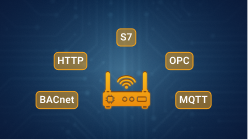
The `!ref` tags resolve to the parameter values when the service is enabled. Connectware supports a wide range of industrial protocols — including OPC UA, Modbus/TCP, Siemens S7, MQTT, and HTTP/REST — each with its own connection properties, but the same configuration pattern.

Learn more: [Cybus::Connection](/data-flows/service-commissioning-files/resources/cybus-connection.md)

### Endpoints: Reading Data Points

A `Cybus::Endpoint` uses a connection to subscribe to or read from a specific data point on a device:

{% code title="connect-your-first-machine.yaml - Endpoint" overflow="wrap" lineNumbers="true" %}

```yaml
spindleSpeed:
  type: Cybus::Endpoint
  properties:
    protocol: Opcua
    connection: !ref opcuaConnection
    subscribe:
      nodeId: ns=2;s=SpindleSpeed
```

{% endcode %}

This endpoint subscribes to the `SpindleSpeed` node on the CNC mill's OPC UA server. Every time the node publishes a new value, Connectware receives it. Multiple endpoints can share the same connection; define one endpoint per data point.

Learn more: [Cybus::Endpoint](/data-flows/service-commissioning-files/resources/cybus-endpoint.md)

### Mappings: Routing to the Unified Namespace

A `Cybus::Mapping` routes data from endpoints to MQTT topics in the Unified Namespace. The topic path you define reflects the physical and logical structure of your production environment — for example, `factory/line1/cnc-mill-1/spindle-speed` — making data consistently addressable by any consumer.

{% code title="connect-your-first-machine.yaml - Mapping" overflow="wrap" lineNumbers="true" %}

```yaml
spindleSpeedMapping:
  type: Cybus::Mapping
  properties:
    mappings:
      - subscribe:
          endpoint: !ref spindleSpeed
        publish:
          topic: !sub 'factory/line1/cnc-mill-1/spindle-speed'
```

{% endcode %}

Mappings can transform and enrich data in real time: normalize tag names, filter noise, compute derived values, or convert units. All topic routing flows through [CybusMQ](/broker/cybusmq.md), Connectware's internal MQTT broker.

Learn more: [Cybus::Mapping](/data-flows/service-commissioning-files/resources/cybus-mapping.md)

### Rule Engine: Transforming Data (Optional)

For transformations beyond simple routing, Connectware's **Rule Engine** enables conditional logic, computed values, and data filtering. Rules are defined within mappings and process messages before they reach subscribers.

{% code title="Example - Mapping with Rules" overflow="wrap" lineNumbers="true" %}

```yaml
mapping:
  type: Cybus::Mapping
  properties:
    mappings:
      - subscribe:
          endpoint: !ref machineRunState
        publish:
          topic: factory/line1/cnc-mill-1/run-state
        rules:
          - transform:
              expression: '$.value > 0 ? "running" : "stopped"'
```

{% endcode %}

Learn more: [Rule Engine](/data-flows/rule-engine.md)

## Beyond Connectivity

Once data is flowing, Connectware provides the operational layer to run, scale, and govern everything:

* **Service lifecycle**: Install, enable, update, and disable services through the Admin UI or API. When you disable a service, every resource is cleanly removed — no orphaned connections or manual cleanup required. See [Services](/data-flows/services.md).
* **Containerized applications**: Services can include Docker containers that process or consume UNS data — dashboards, analytics, AI inference pipelines, and more. See [Resources](/data-flows/service-commissioning-files/resources.md).
* **Transactional data flows**: When a consumer must confirm that a write or command succeeded, FlowSync carries the response or error back through the data flow. See [FlowSync](/data-flows/flowsync.md).
* **Agents**: Devices on isolated networks can be reached via lightweight agents that connect outbound to Connectware — no inbound connectivity required. See [Agents](/data-flows/agents.md).
* **Monitoring**: The Data Explorer and service status views let you verify live data flows and diagnose connection issues. See [Data Explorer](/monitoring/data-explorer.md).
* **User management**: Role-based access control, SSO, and MFA govern who can access which parts of the system. See [User Management](/access/user-management.md).
* **GitOps**: Service commissioning files live in Git, changes go through pull requests, and a CI/CD pipeline deploys to Connectware on merge.

## Next Steps

Now that you understand how Connectware works end to end, here are the most common next steps:

<table data-view="cards"><thead><tr><th align="center"></th><th align="center"></th><th data-hidden data-card-cover data-type="files"></th><th data-hidden data-card-target data-type="content-ref"></th></tr></thead><tbody><tr><td align="center"><strong>Connectors</strong></td><td align="center">Browse connectors for your machines: OPC UA, Modbus, S7, and many more. Each page includes configuration examples.</td><td><a href="/files/vf6gXMdCyA6NMSLsYy8F">/files/vf6gXMdCyA6NMSLsYy8F</a></td><td><a href="/pages/9Sq0m37tJ7C6svEiiN6y">/pages/9Sq0m37tJ7C6svEiiN6y</a></td></tr><tr><td align="center"><strong>Service Commissioning Files</strong></td><td align="center">Build your own service with the complete reference covering every resource type and property.</td><td><a href="/files/4WHVMvOLKK7sIP1DxU6B">/files/4WHVMvOLKK7sIP1DxU6B</a></td><td><a href="/pages/G5qpDRYvqz7XQhcN6L7c">/pages/G5qpDRYvqz7XQhcN6L7c</a></td></tr><tr><td align="center"><strong>Monitoring</strong></td><td align="center">Use the Data Explorer and Live Data tab to verify that data flows correctly and monitor your connections.</td><td><a href="/files/CNaiWIFUcwS6CBsCGvl0">/files/CNaiWIFUcwS6CBsCGvl0</a></td><td><a href="/pages/Ag0TjuKKGnPrXa1wc0T3">/pages/Ag0TjuKKGnPrXa1wc0T3</a></td></tr><tr><td align="center"><strong>User Management</strong></td><td align="center">Create accounts, assign roles, and restrict access with role-based access control.</td><td><a href="/files/iyIJs3oZjLXGLc5GYy85">/files/iyIJs3oZjLXGLc5GYy85</a></td><td><a href="/pages/tF9pmQ5bP7Y4Xsj816sd">/pages/tF9pmQ5bP7Y4Xsj816sd</a></td></tr><tr><td align="center"><strong>Agents</strong></td><td align="center">Deploy agents to bridge isolated networks when machines cannot reach Connectware directly.</td><td><a href="/files/6HV05hGBO8ozeFwQciWn">/files/6HV05hGBO8ozeFwQciWn</a></td><td><a href="/pages/3SQ9N8jDPGP0GJYMnZvd">/pages/3SQ9N8jDPGP0GJYMnZvd</a></td></tr></tbody></table>


---

# Agent Instructions
This documentation is published with GitBook. GitBook is the documentation platform designed so that both humans and AI agents can read, navigate, and reason over technical content effectively. Learn more at gitbook.com.

## Querying This Documentation
If you need additional information that is not directly available in this page, you can query the documentation dynamically by asking a question.

Perform an HTTP GET request on the current page URL with the `ask` query parameter, and the optional `goal` query parameter:

```
GET https://docs.cybus.io/discover/how-connectware-works.md?ask=<question>&goal=<endgoal>
```

`ask` is the immediate question: it should be specific, self-contained, and written in natural language.
`goal` is optional and describes the broader end goal you are ultimately trying to accomplish on behalf of the user. GitBook uses it to tailor the answer towards what is most useful for that goal.

The response will contain a direct answer to the question and relevant excerpts and sources from the documentation.

Use this mechanism when the answer is not explicitly present in the current page, you need clarification or additional context, or you want to retrieve related documentation sections.